Everything you do in PostgreSQL, in one native window
PGZen is built for PostgreSQL only, so every screen speaks its vocabulary: schemas, constraints, triggers, GiST indexes, pg_stat_statements. Each feature below is in the app today.
Query
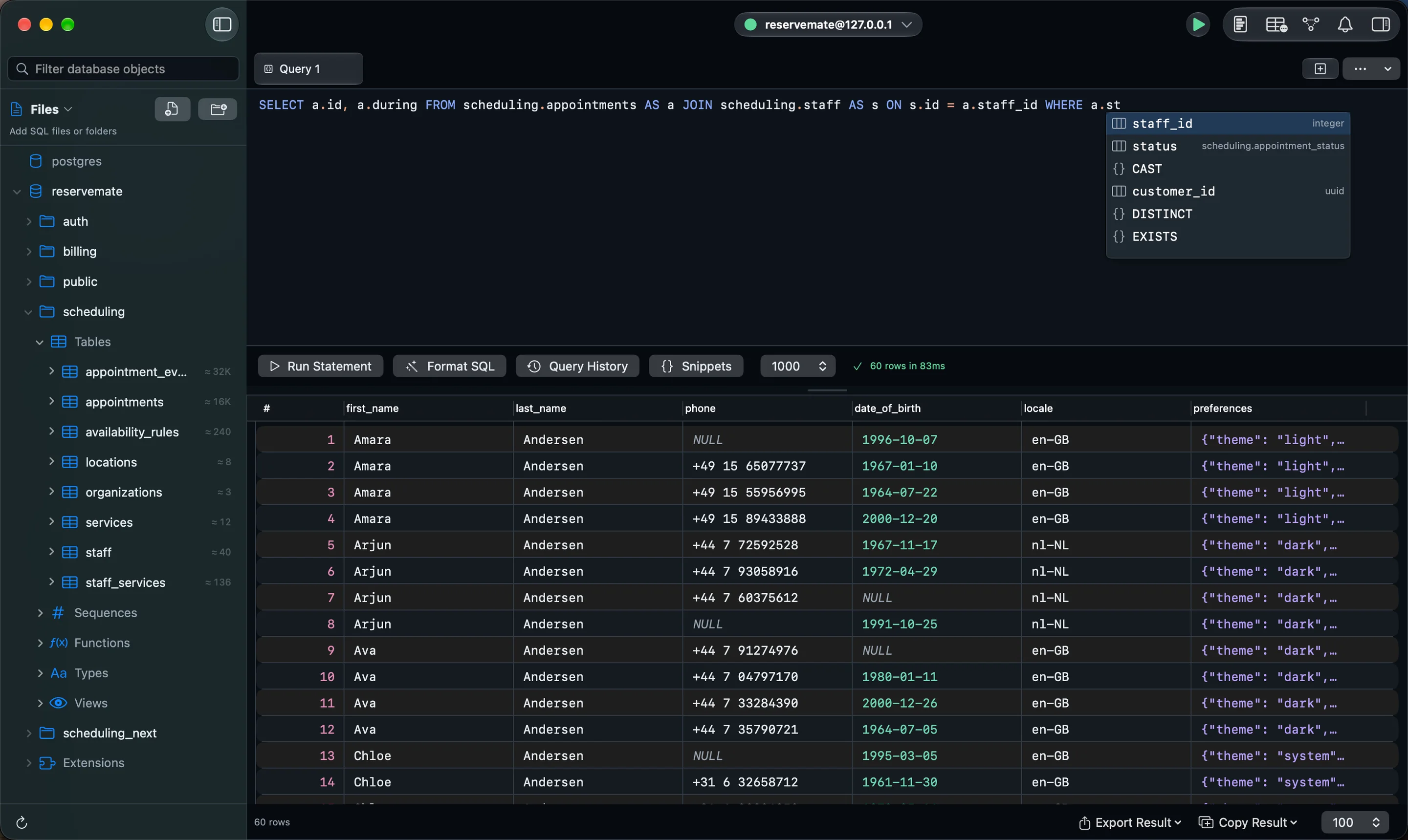
A SQL editor that knows your schema
Autocomplete suggests schemas, tables, columns and functions from the database you are connected to, and resolves the aliases in your FROM clause, so a.st completes to the right column.
- Context-aware autocomplete from the live catalog
- Format on demand with ⌃⇧F
- Snippets with placeholders you Tab through
- Run, cancel, and read several result sets from one script
- Errors shown exactly as the server reports them
Query
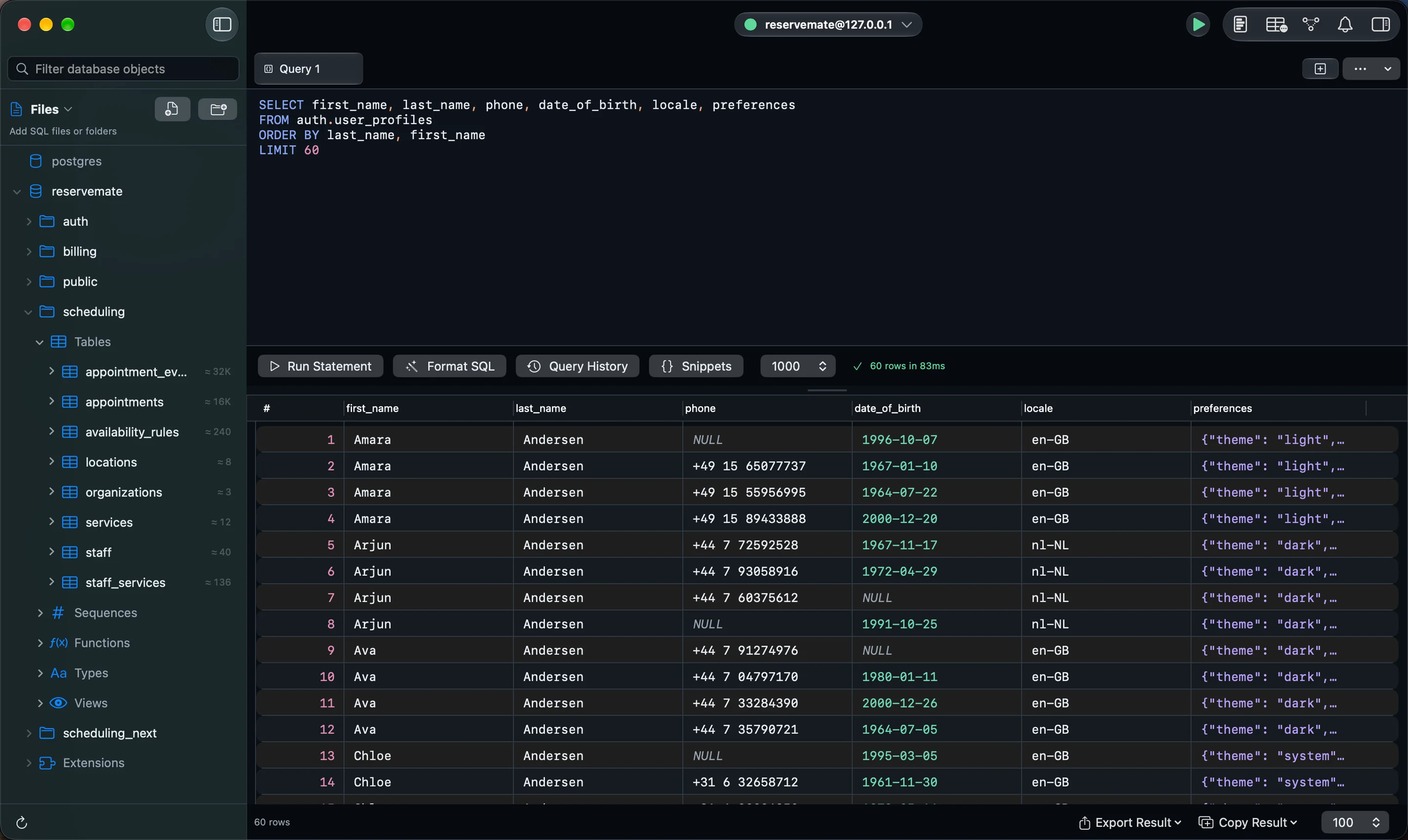
Results you can actually read
The grid keeps PostgreSQL’s types honest: NULL looks different from an empty string, JSON and JSONB open pretty-printed or as a tree, and a foreign-key value jumps to the row it points to.
- Row detail sidebar for long rows, with editing
- JSON and JSONB viewer with pretty and tree views
- Follow a foreign key to its row, and back
- Large results stream through a server-side cursor as you scroll
- Export to CSV, JSON, or parameterized INSERT statements
Query
Edit rows, read the SQL, then apply
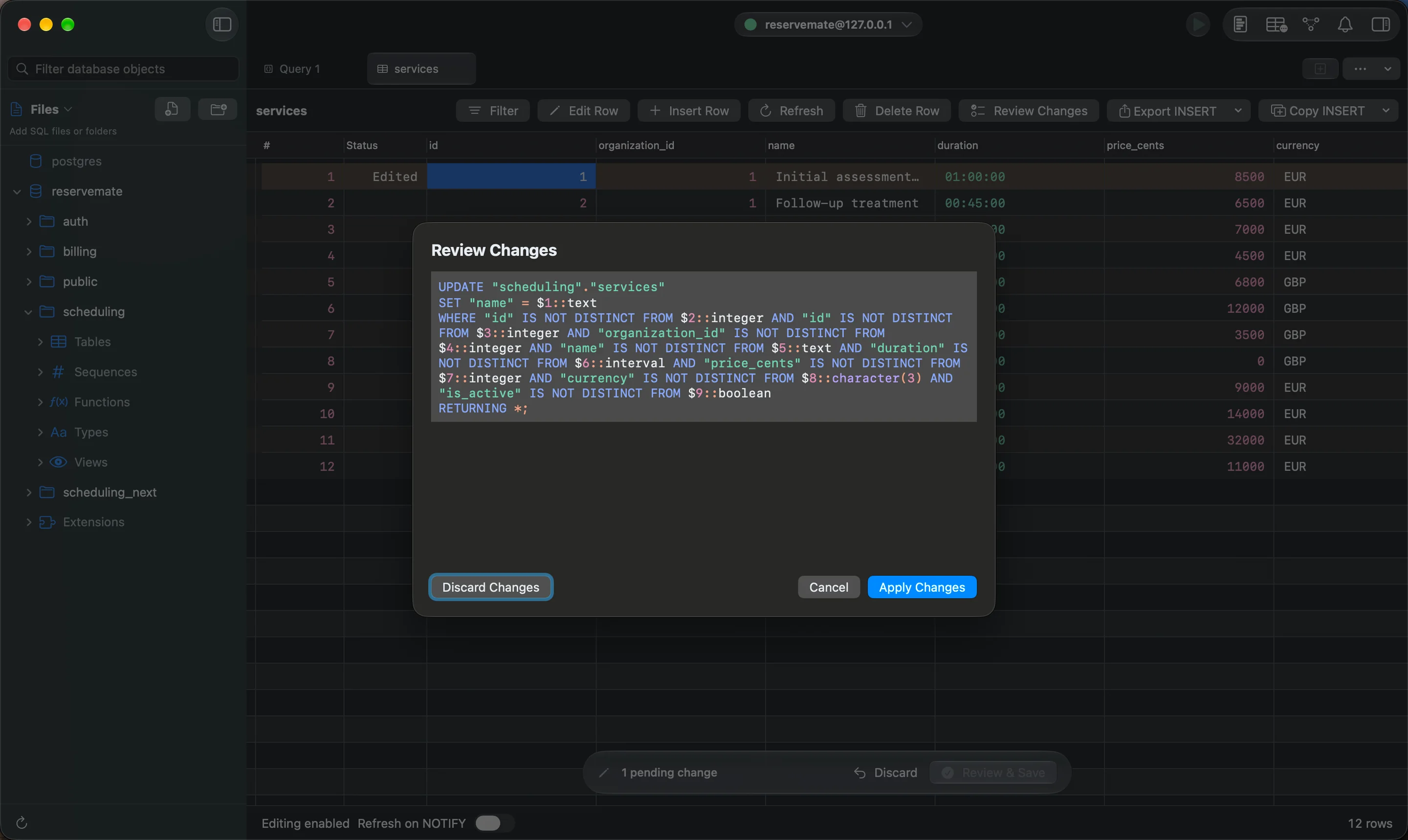
Edit cells in the grid or the row sidebar, and PGZen stages the change. Review shows the exact parameterized statement and every bound value; nothing reaches the server until you apply it.
- Exact SQL and bound values before anything runs
- Applied in a transaction, with conflict detection
- Read-only connections block writes in the client
- Production connections ask before high-risk schema changes
Schema
Change a table and know what it will lock
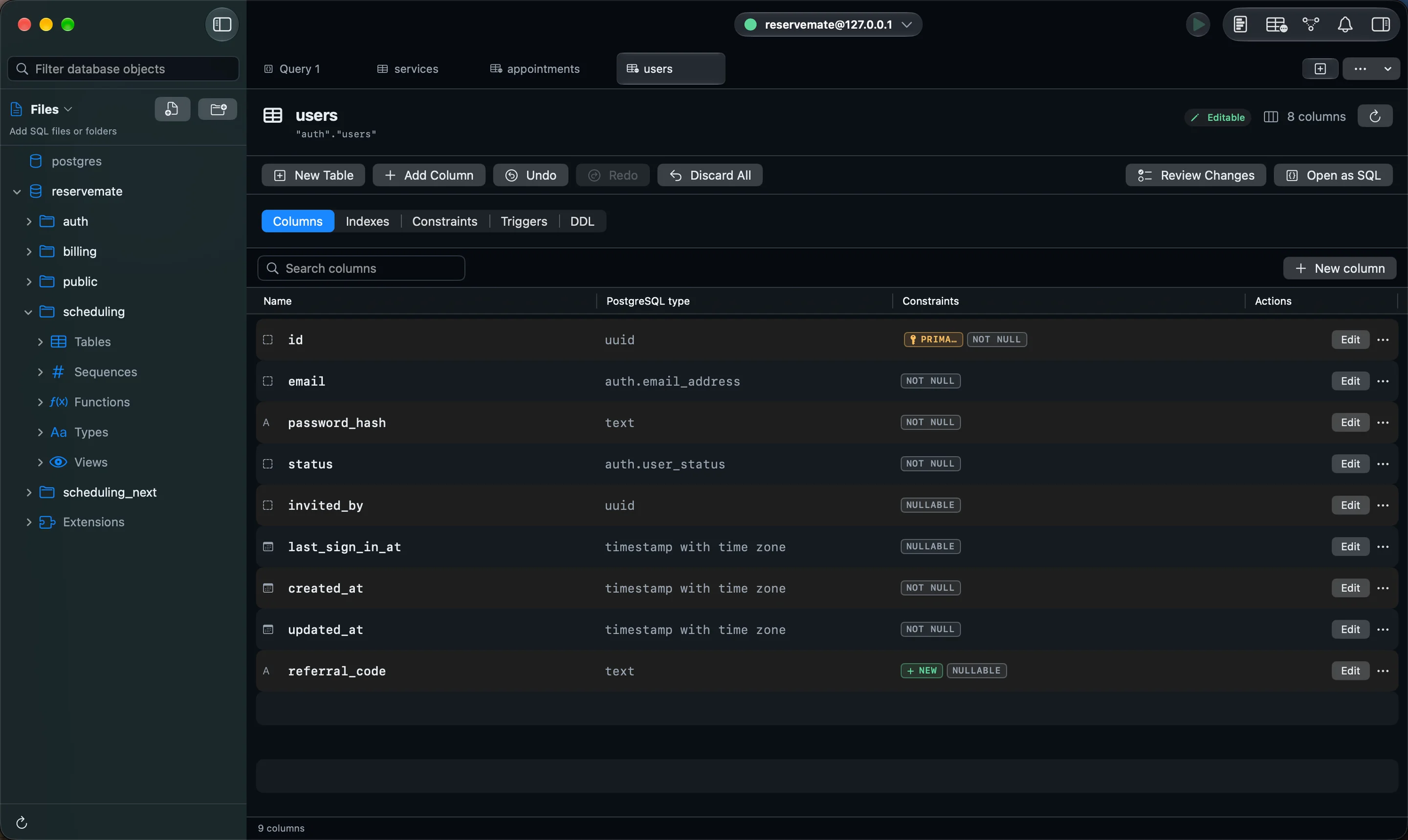
Every table opens into Columns, Indexes, Constraints, Triggers and DDL. Before Apply is reachable, PGZen rates each change: metadata only, a validation scan, a full table rewrite, write-blocking, destructive, or non-atomic.
- Add, rename and retype columns, defaults, and NOT NULL
- Primary keys, unique, check, and foreign-key constraints
- The risk of each change shown before Apply
- The generated DDL reviewed before it runs
Schema
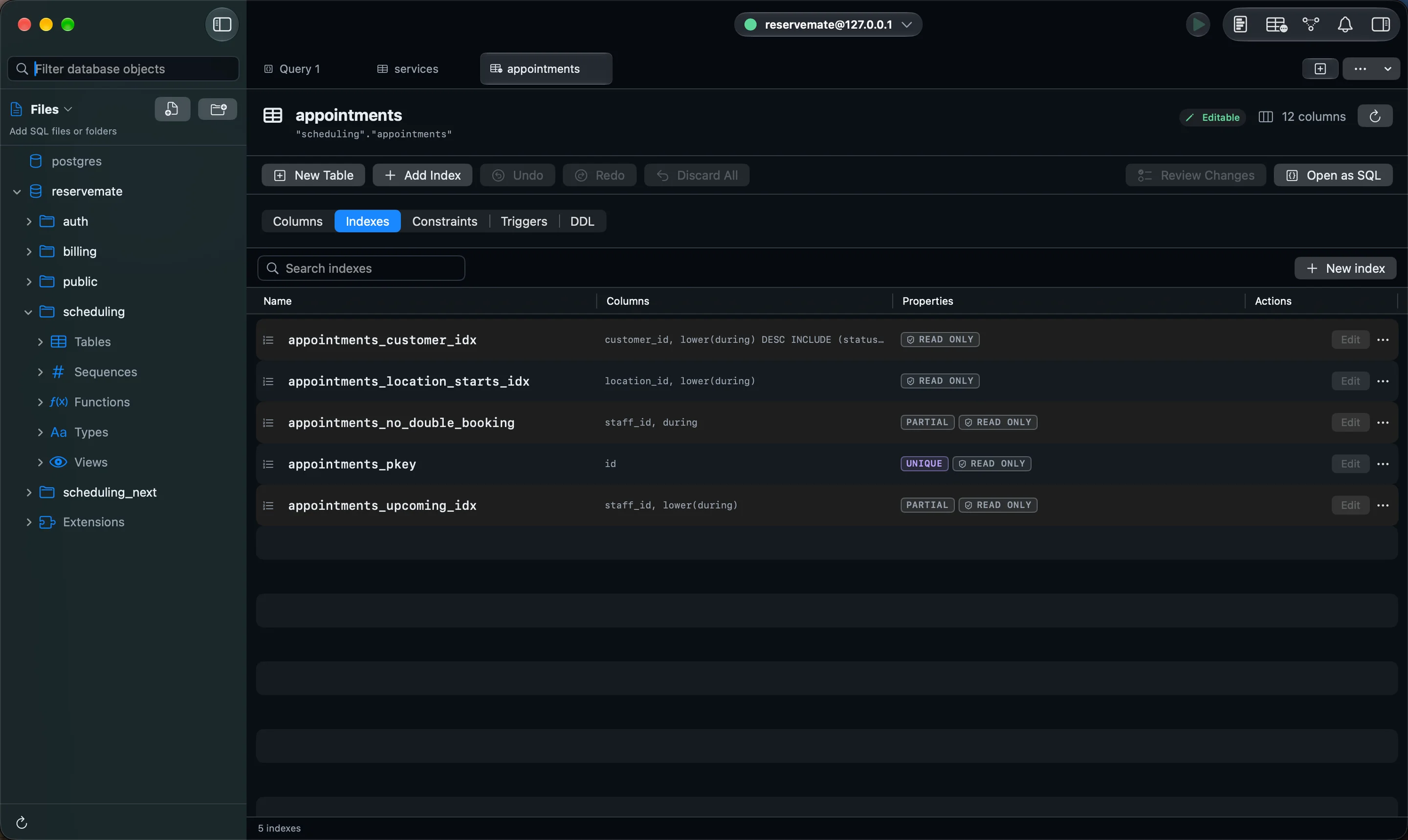
Every index, shown in full
The Indexes tab shows every index on a table the way PostgreSQL defines it, including expression, partial and covering indexes. Create and change B-tree indexes visually; PGZen shows that PostgreSQL replaces an index rather than altering it.
- B-tree, GIN, GiST, SP-GiST, BRIN and hash indexes
- Column order, sort direction and NULL ordering
- INCLUDE columns and partial-index predicates
- CREATE INDEX CONCURRENTLY, kept outside the transaction
Schema
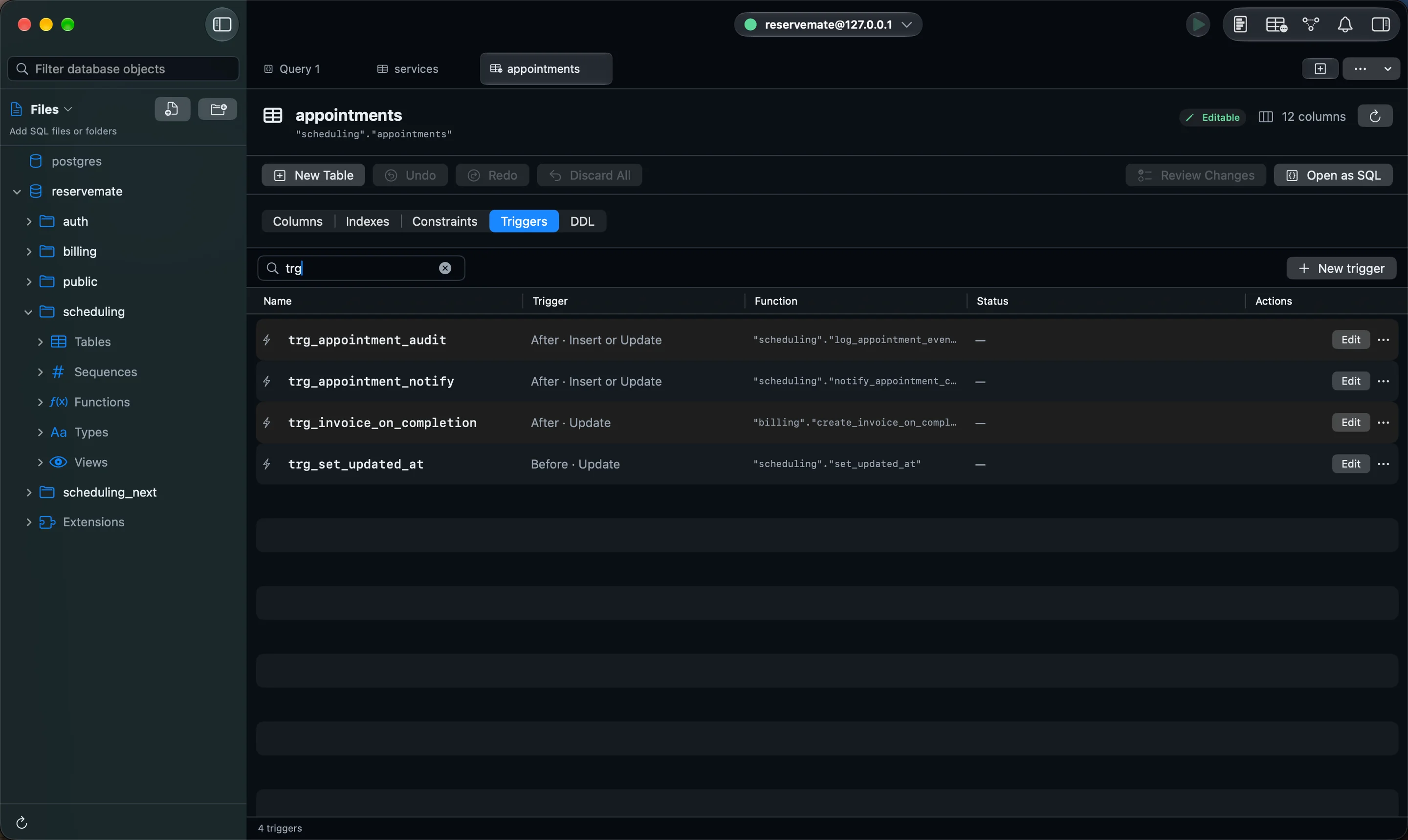
Write triggers without writing CREATE TRIGGER
Create and edit triggers on tables and views: choose the timing, the events, row or statement level, the function and its arguments. Internal triggers PostgreSQL owns stay read-only.
- BEFORE, AFTER and INSTEAD OF triggers
- UPDATE OF columns and WHEN conditions on NEW and OLD
- Transition tables for statement-level triggers
- Constraint triggers, deferrable or not
Schema
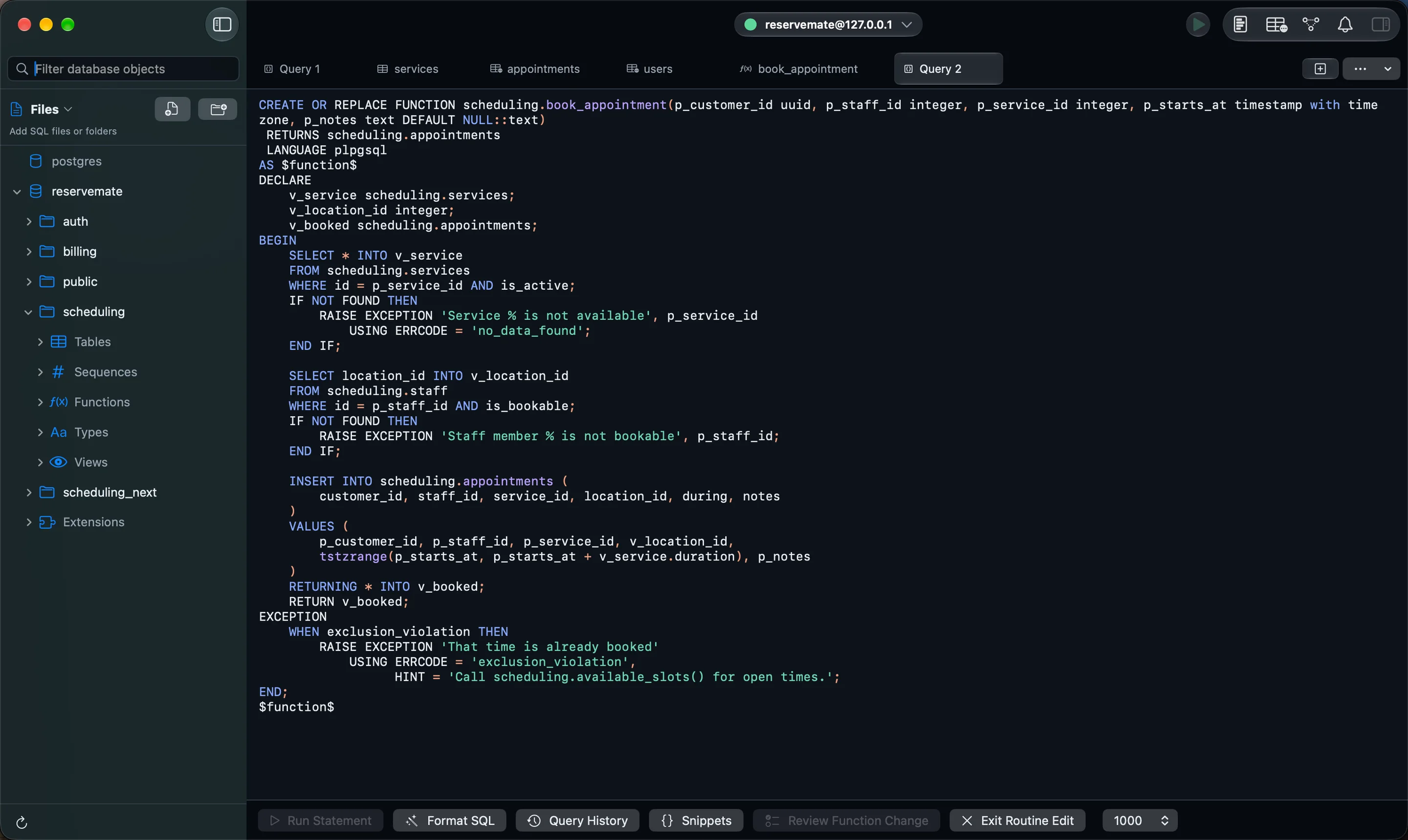
Functions, procedures, types and extensions
The Explorer lists functions, procedures, sequences, domains, enums, composite types and extensions next to your tables. Edit a function’s definition in a SQL tab; PGZen runs it only as one CREATE OR REPLACE statement, after review.
- Function and procedure definitions with their signatures
- Domains, enums and composite types
- Sequences, with guarded editing
- Install and upgrade extensions
Schema
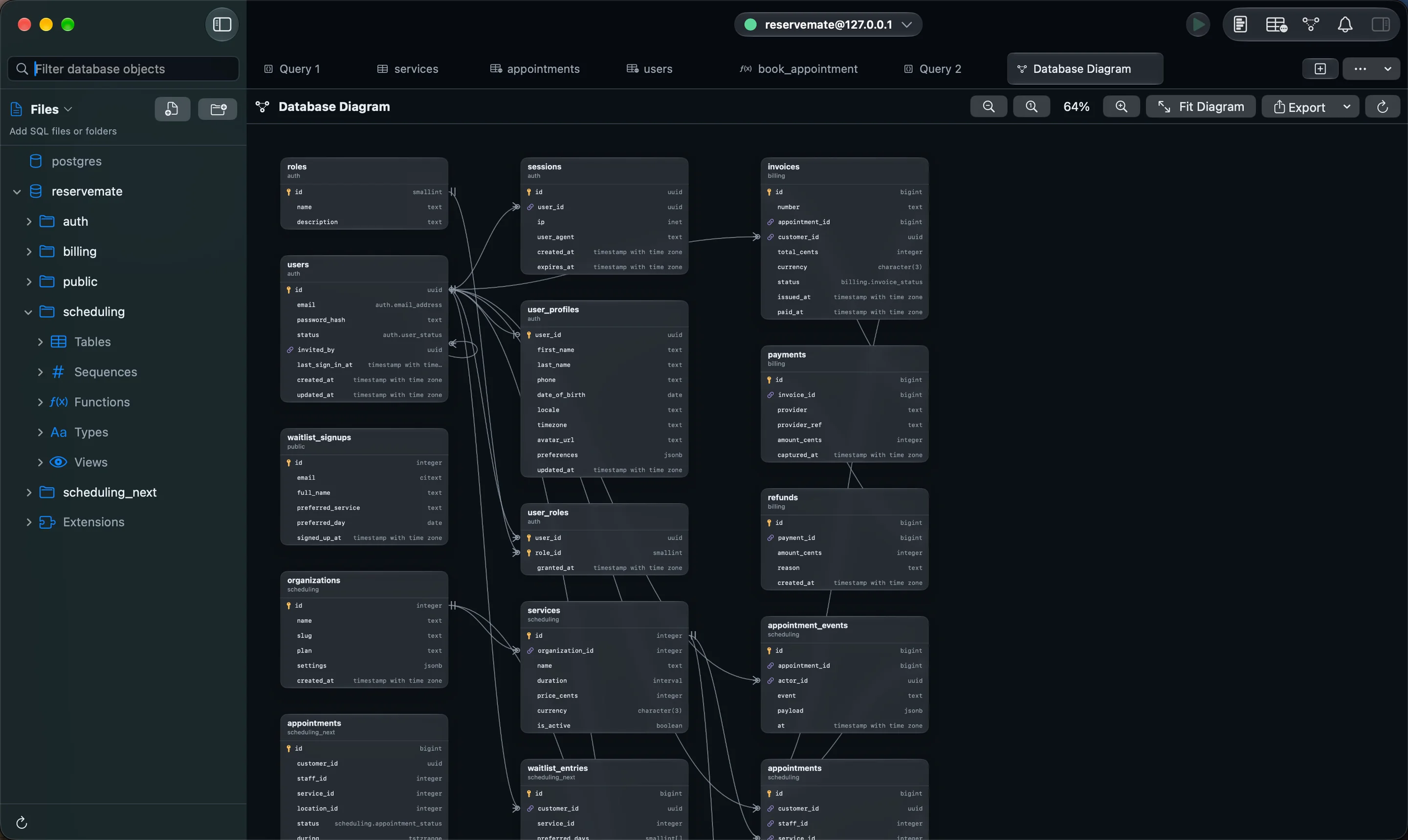
An ER diagram drawn from your real foreign keys
Open a diagram of any schema and PGZen lays it out from the foreign keys PostgreSQL actually has. Zoom, fit, open a table’s structure from its card, and export the diagram. It is read-only, so browsing it never changes anything.
- Laid out automatically from foreign keys
- Cycles and self-references drawn correctly
- Open any table’s structure from the diagram
- Export as PNG or PDF
Performance
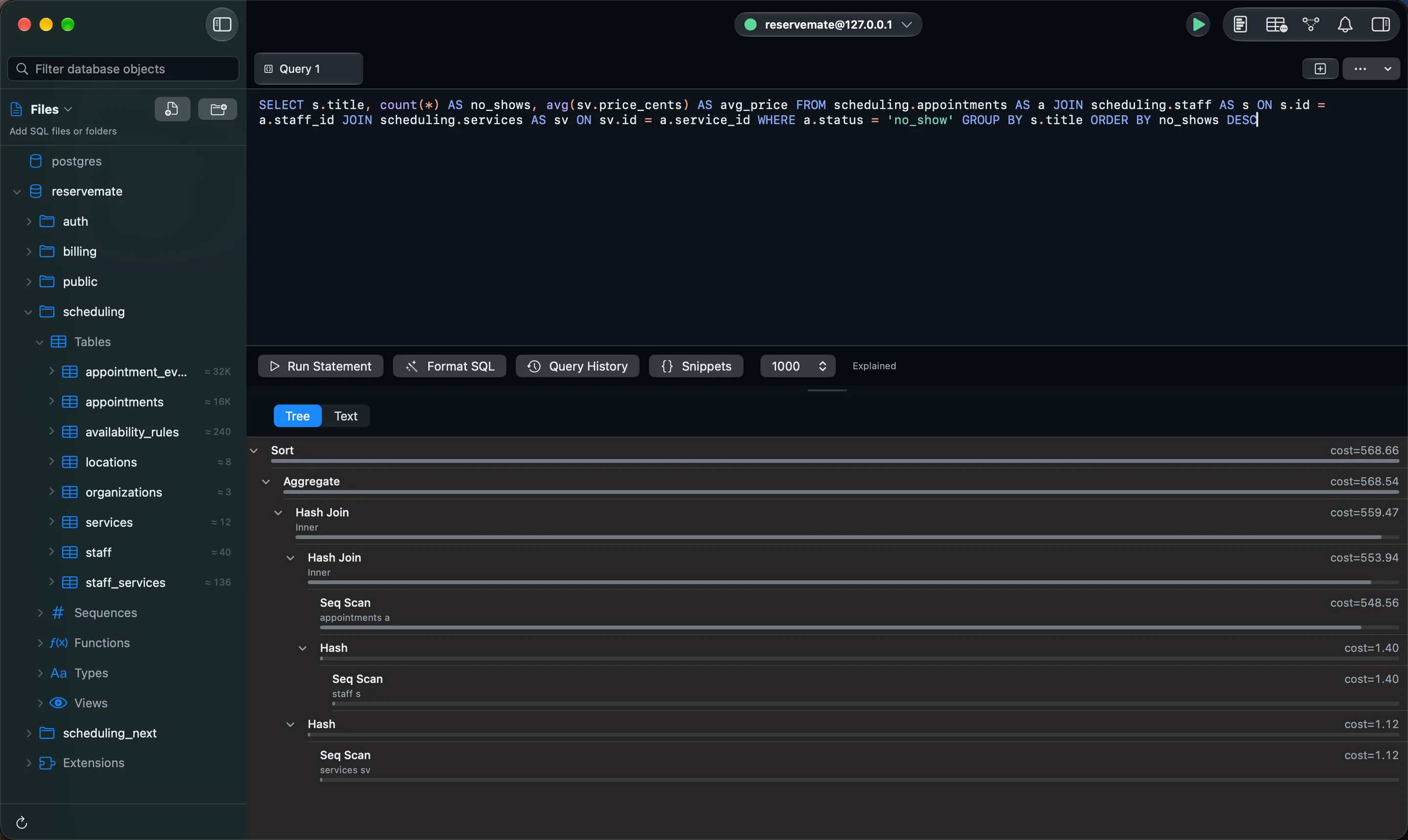
Query plans you can read at a glance
Run EXPLAIN and PGZen draws the plan as a tree with cost bars, flags the most expensive node, and offers a flame view for deep plans.
- Plan tree with relative cost bars
- The most expensive node flagged
- Flame view for deep plans
Performance
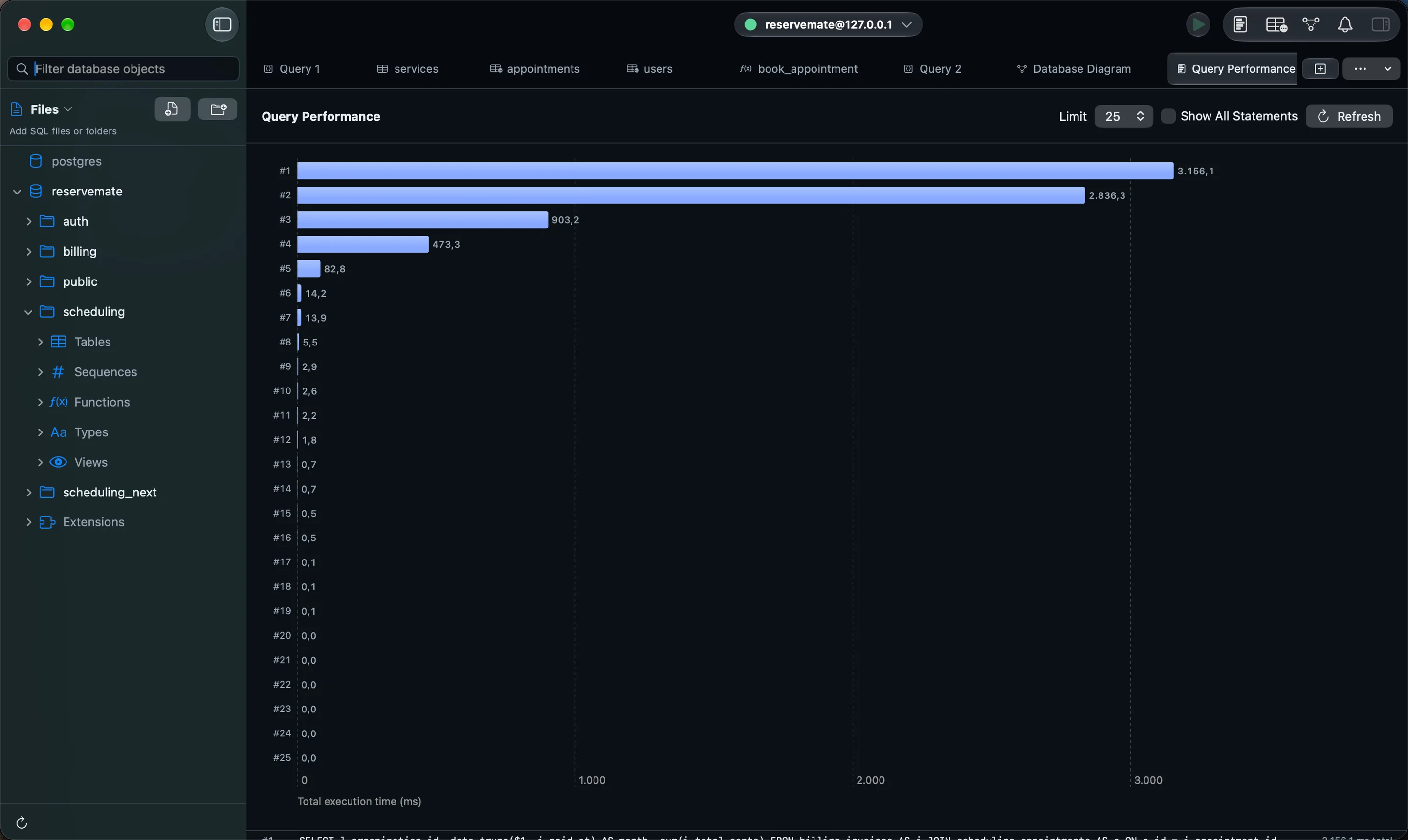
Find the queries that cost the most
Performance Insights reads pg_stat_statements and charts the statements that take the most time. Click one to open it in the editor. If the extension is missing or not preloaded, PGZen says which, instead of showing an empty chart.
- The most expensive statements, ranked and charted
- Recognized PGZen catalog queries hidden by default; Show All brings them back
- Open any statement in the editor
- Read-only, bounded queries against the server
Connections
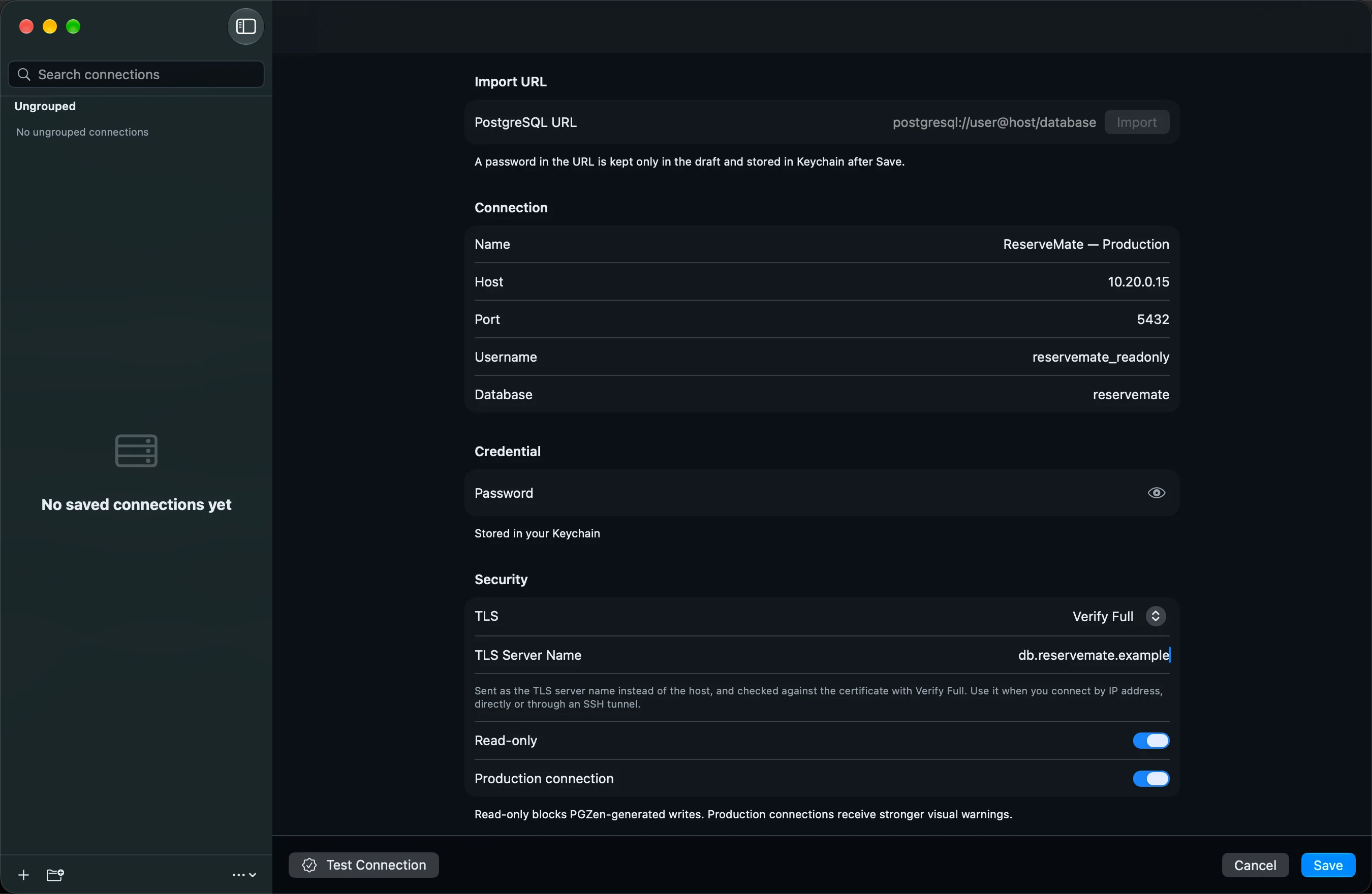
Connect the way your infrastructure requires
Connect directly or through an SSH tunnel (password or Ed25519 key), with five TLS policies from disable to verify-full and custom CA and client certificates. Passwords are stored in the macOS Keychain.
- SSH tunnels with password or Ed25519 key
- verify-ca and verify-full with custom CA and client certificates
- TLS server name for servers reached by IP address
- Read-only and production profiles, startup queries
Schema
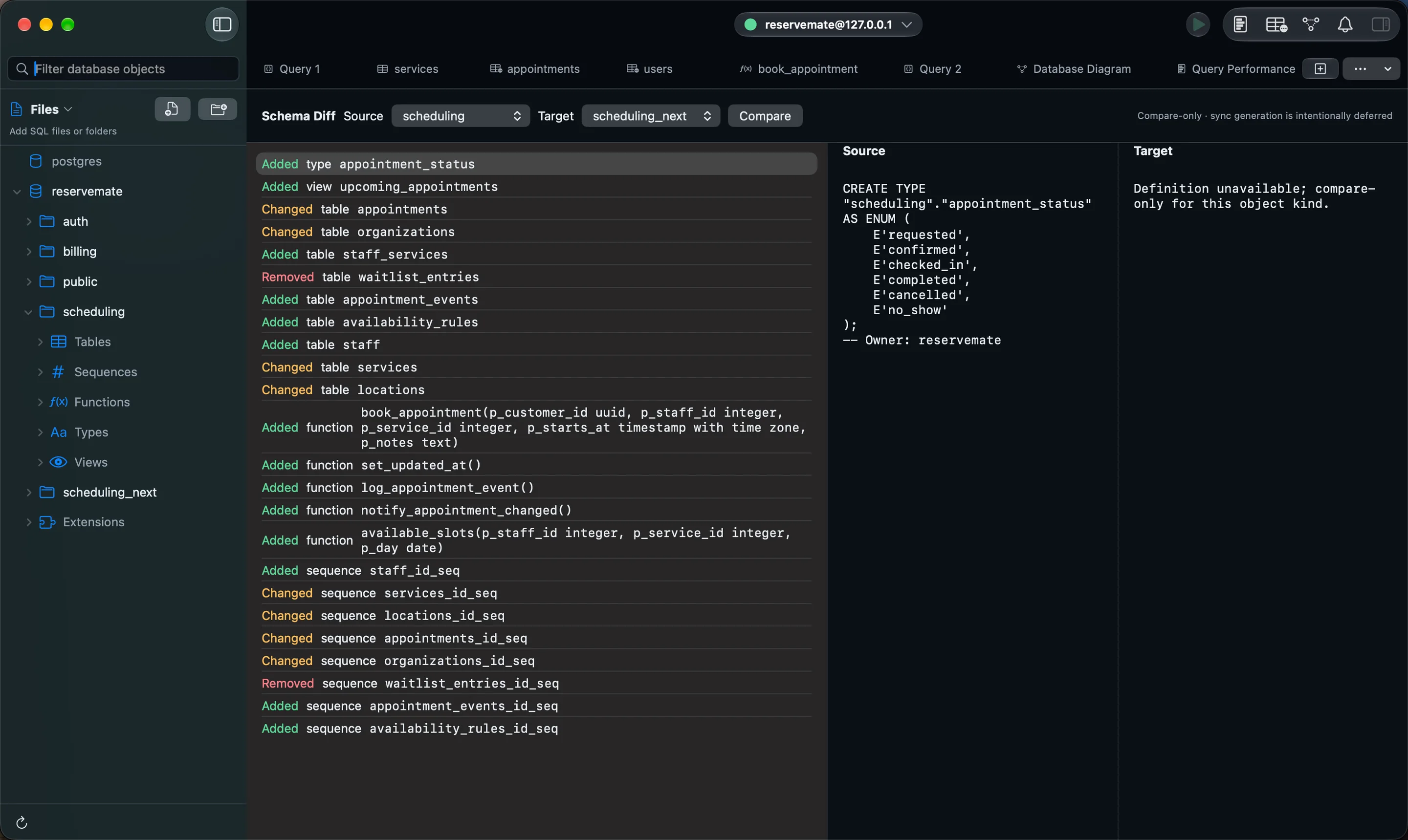
Compare two schemas side by side
Pick two schemas in the same database and see what was added, removed or changed, with the DDL of both sides next to each other. It compares only; PGZen does not generate a sync script.
- Relations, columns, indexes and constraints
- Sequences, routines, types and extensions
- Side-by-side DDL for every change
Workflow
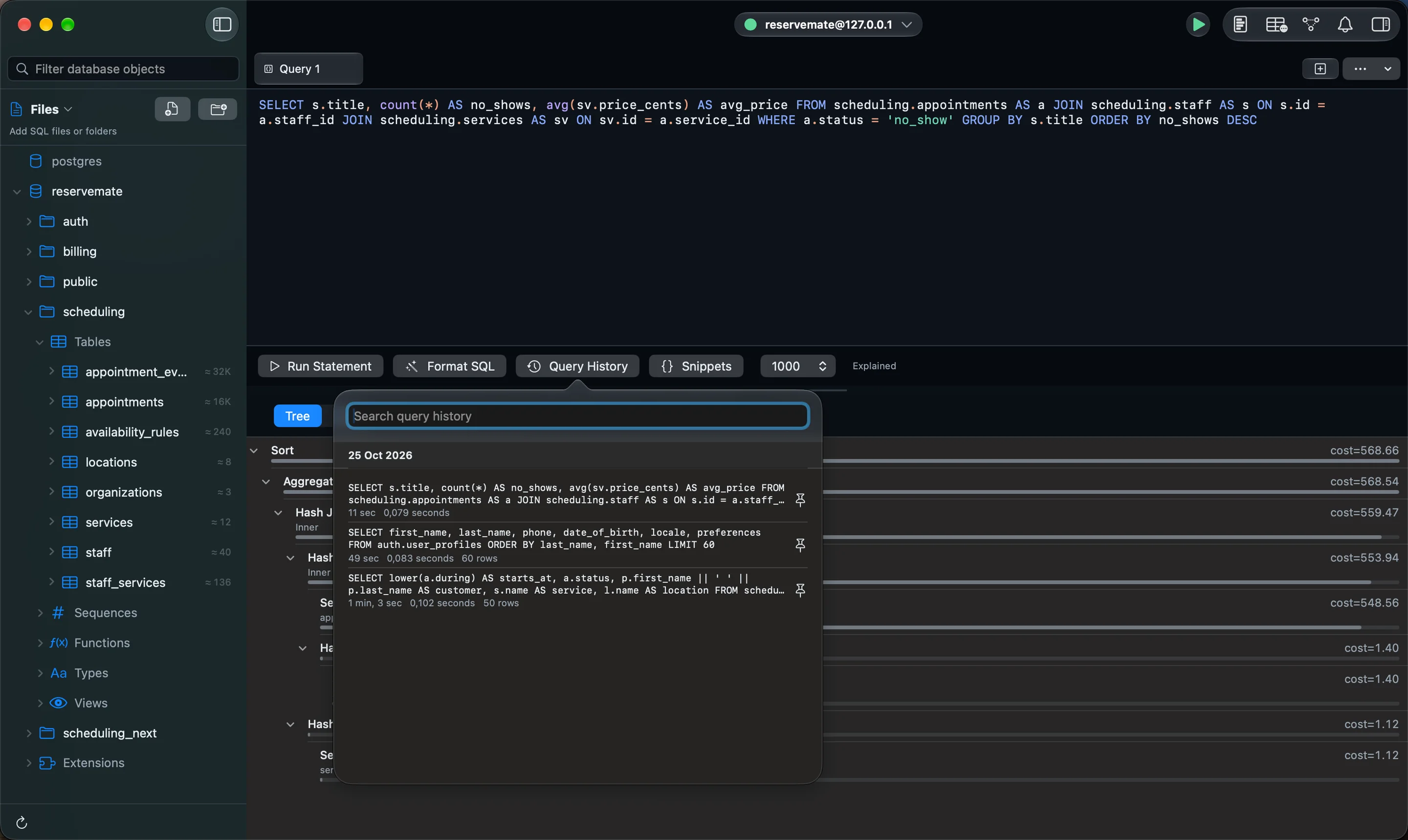
Query history and .sql files
Every query you run is kept per connection with its duration and row count. Search it, pin what matters, and double-click to run it again. Keep longer work as .sql files and folders that reload when another editor changes them.
- History per connection, searchable and deduplicated
- Pin queries you come back to
- .sql files and folders in the sidebar
- Spotlight search for connections and snippets
Workflow
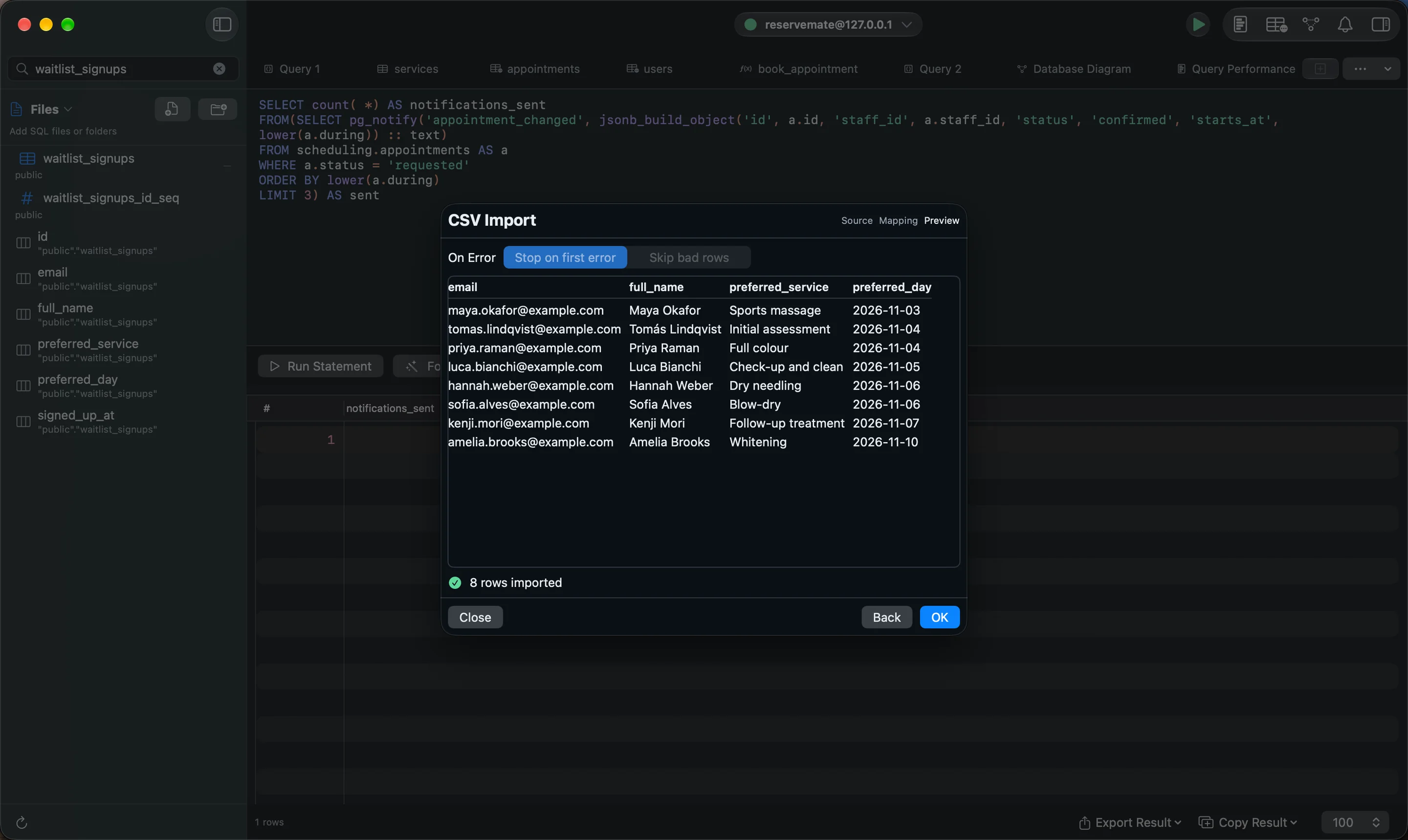
Import CSV, export anything
Drop a CSV on a table, map its columns, preview the rows, and import with COPY. Export results as CSV, JSON, or INSERT statements with quoted identifiers and typed literals.
- File, column mapping and preview in three steps
- Streams through COPY for large files
- Export to CSV, JSON or SQL INSERT
Workflow
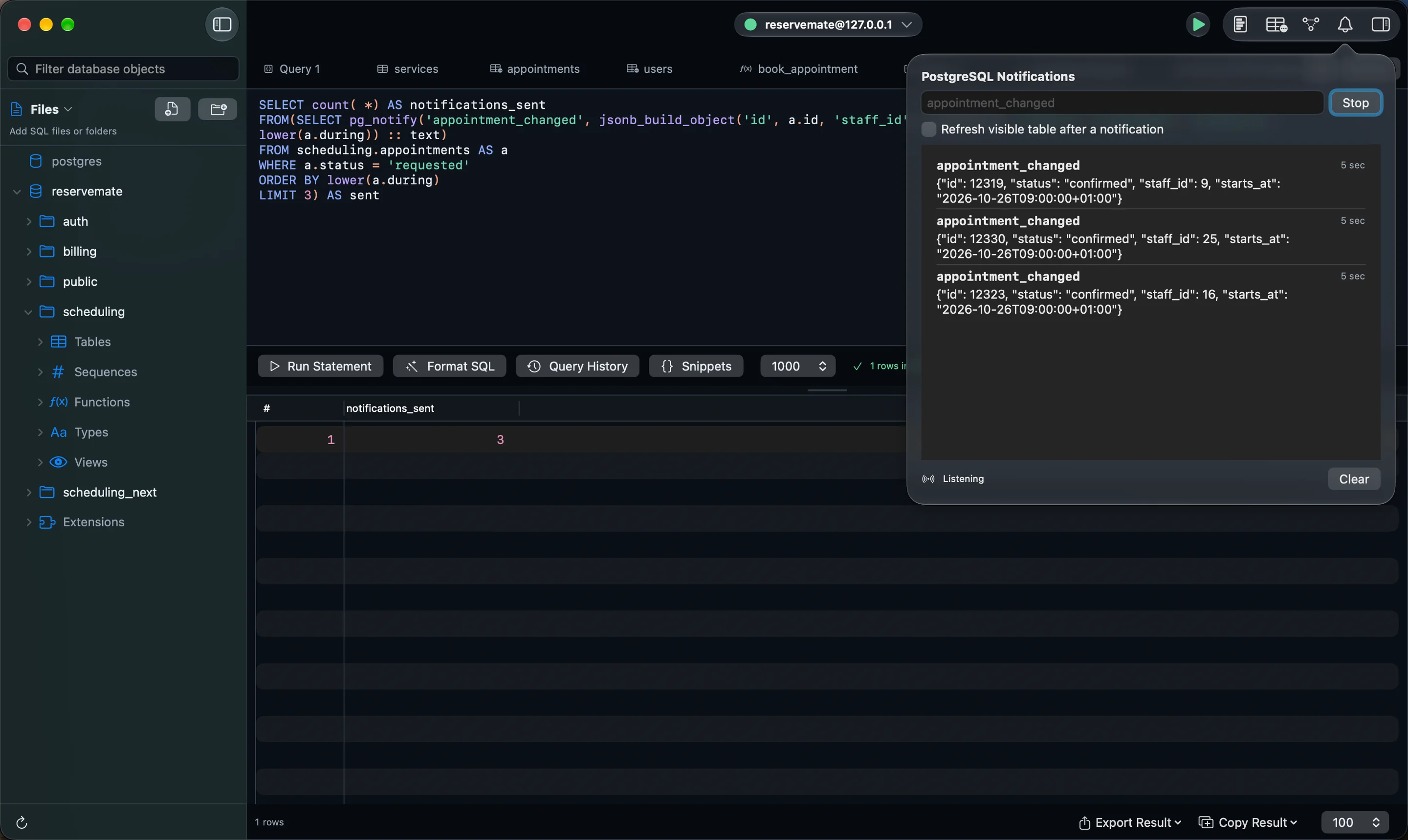
Watch LISTEN/NOTIFY channels live
Subscribe to one or more channels and see each NOTIFY payload as it arrives, with an unread count in the toolbar. PGZen reconnects and resubscribes if the connection drops, and can refresh the table you are looking at.
- Several channels at once
- Reconnects and resubscribes automatically
- Optional auto-refresh of the visible table
Try it on your own database
macOS 26.0 or later · PostgreSQL 14–18

 Coming soon to the Mac App Store$29.99 launch price, then $39.99. One purchase, no subscription.US prices; the App Store shows yours.